Integrate with OpenCode
OpenCode is an open-source AI coding assistant available in terminal, web, and other forms.
Migrate from Existing Installation to DeepSeek
If you already have OpenCode installed (version >= v1.18.30 recommended), simply run OpenCode and switch to the DeepSeek provider:
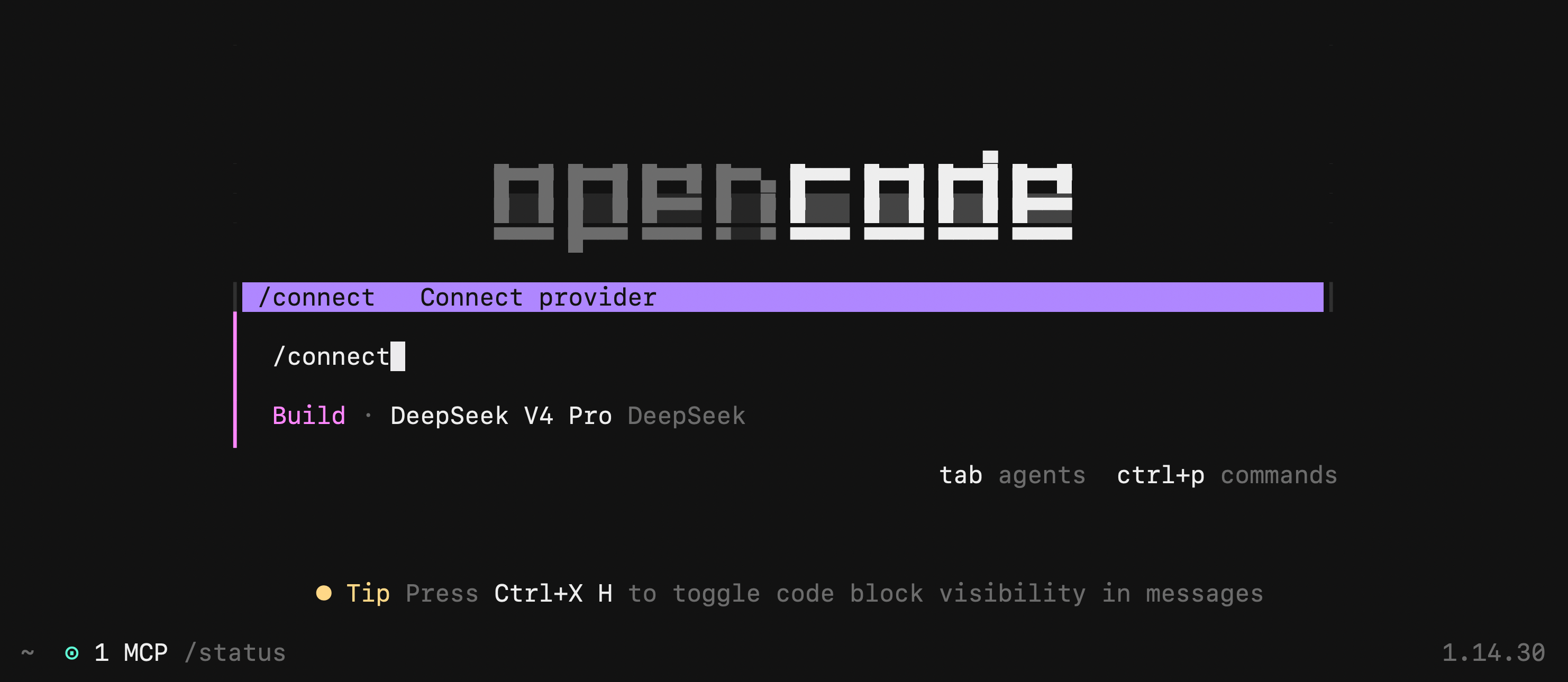
- Execute the
opencodecommand - Type
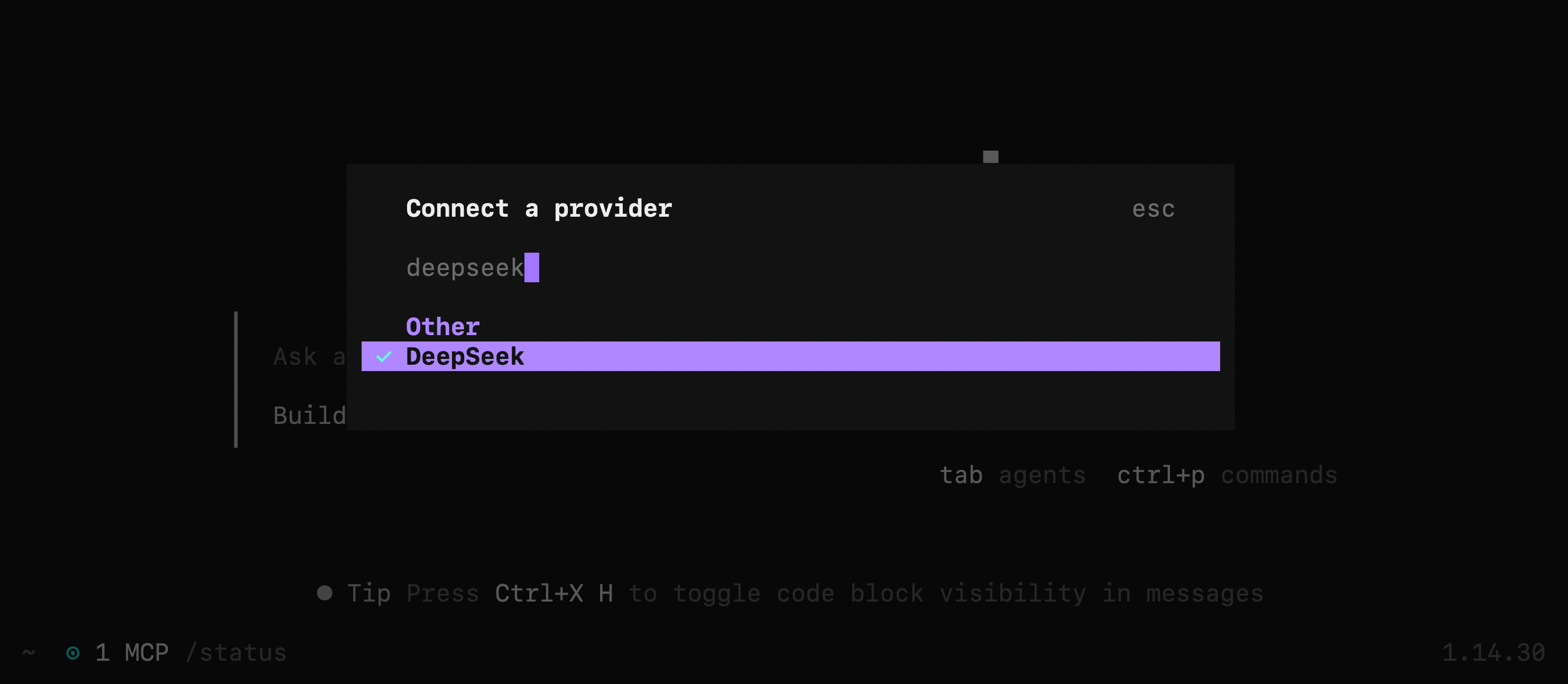
/connectin the input box, then enterdeepseekand select the provider
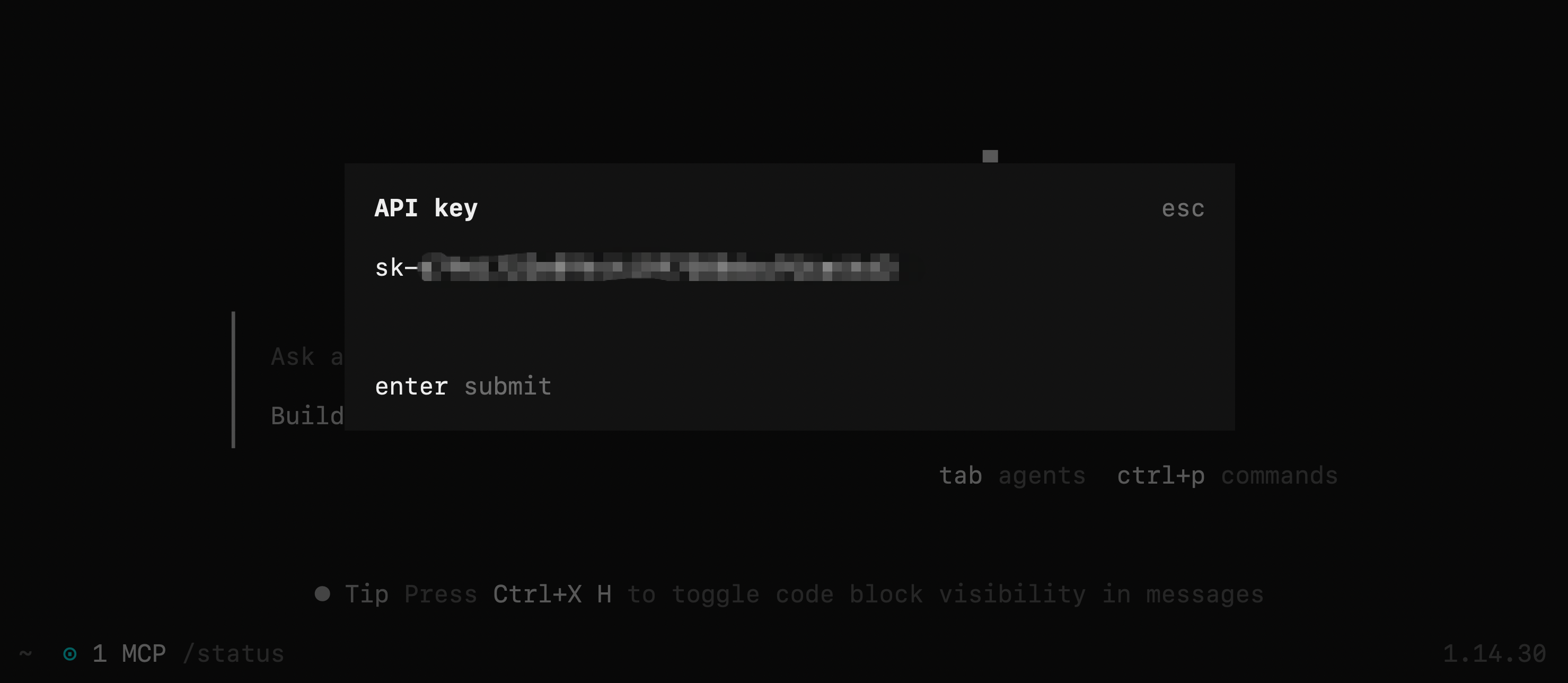
- Enter your DeepSeek API Key
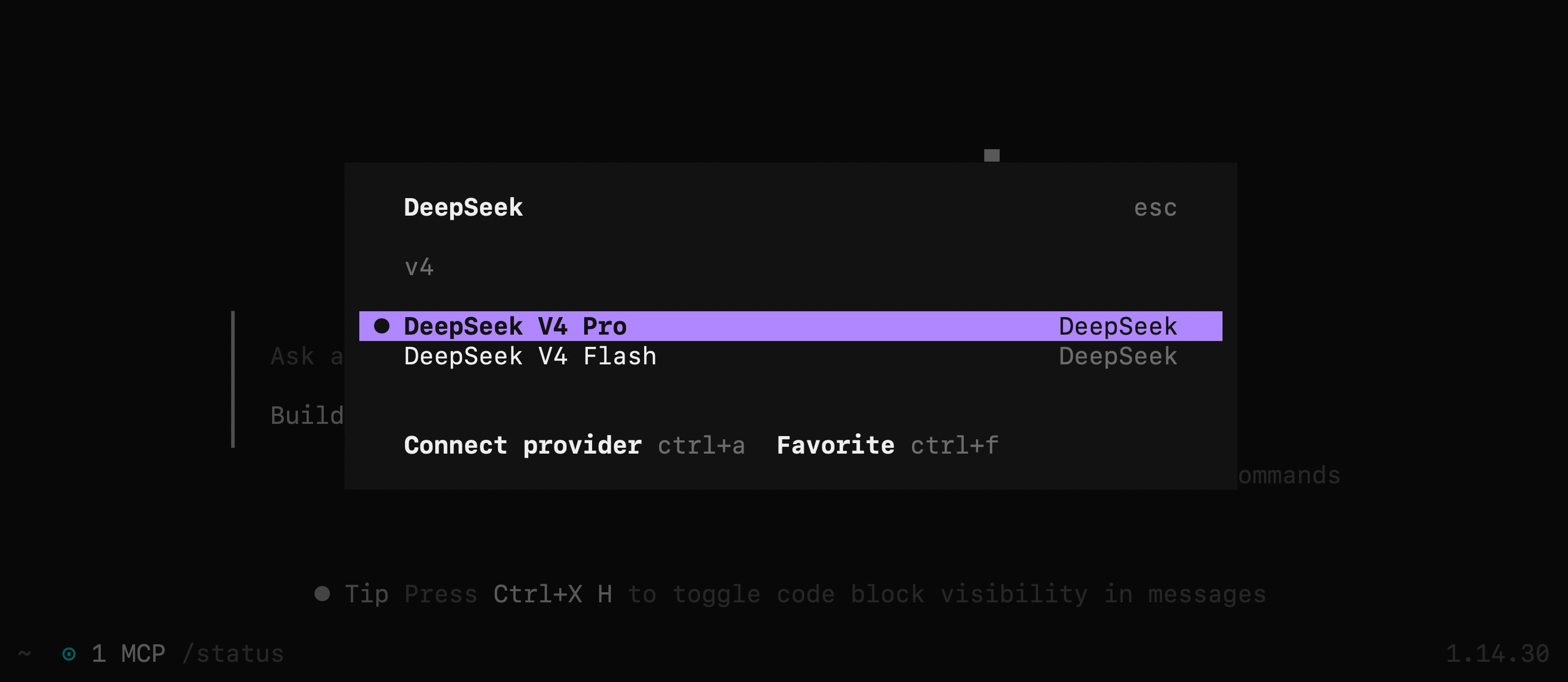
- Select the DeepSeek-V4-Flash model
Install OpenCode from Scratch
1. Install OpenCode
For installation instructions, please refer to the OpenCode download page.
To avoid compatibility issues, it is strongly recommended to upgrade OpenCode to the latest version, ensuring the version number is >= v1.18.30.
2. Run and Configure
- Execute the
opencodecommand - Type
/connectin the input box, then enterdeepseekand select the provider - Enter your DeepSeek API Key
- Select the DeepSeek-V4-Flash model